Gaming Mouse DPI and Polling Rate: Marketing vs Reality
26,000 DPI and 8,000 Hz sound impressive on a box, but the arithmetic tells a different story. What the numbers actually measure, where the real gains stop, and what to check instead before your next mouse purchase.
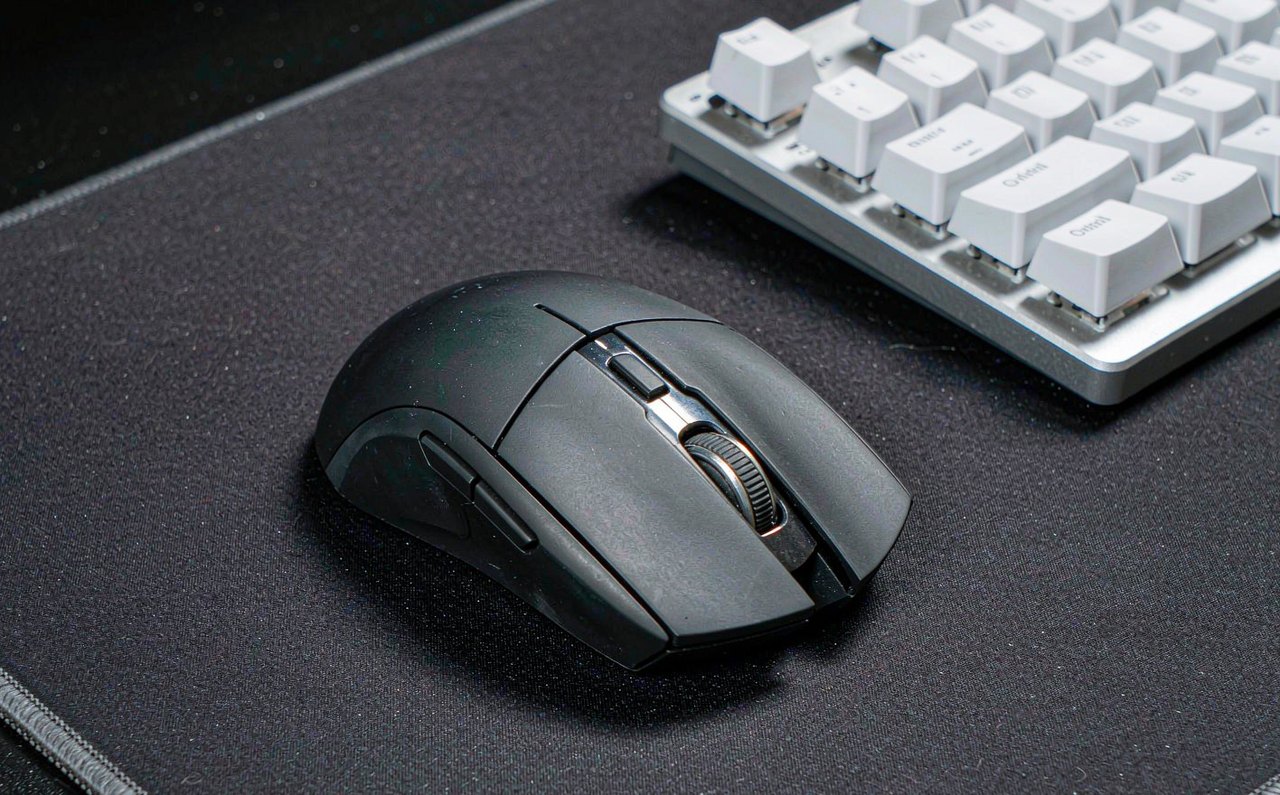
Mouse spec sheets read like a horsepower race: tens of thousands of DPI, polling rates climbing from 1,000 Hz to 8,000 Hz, response times measured to the tenth of a millisecond. Some of these numbers describe real engineering, but almost none of them translate into more won duels the way the marketing implies. The good news is that the honest analysis requires nothing but arithmetic you can check yourself. Let us take the two headline specs apart.
Everything below is interval math and published measurement — no bench secrets. Where a claim comes from aggregated public data, the source is named so you can verify it.
DPI: the number that mostly cancels itself out
DPI (dots per inch, often labeled CPI) counts how many movement signals the sensor reports per inch of travel. The key insight: DPI alone determines nothing about your aim. What determines how far your view turns is the product of DPI × in-game sensitivity. A player at 800 DPI and sensitivity 1.0 and a player at 1600 DPI and 0.5 have the identical turn radius. The DPI number is just one half of a ratio, and the box only advertises half of the equation.
So what is high DPI for? Two legitimate uses, neither needing 26,000:
- Matching your physical space. Competitive players think in cm per 360 — how many centimeters of pad travel a full turn takes. If your preferred value needs more than your mousepad allows at a given DPI, raising DPI and lowering in-game sensitivity restores the ratio. That is arithmetic, not accuracy.
- Sub-pixel resolution at very low sensitivity. At extremely low in-game sensitivities, a low DPI mouse can skip sensor counts between screen pixels. 1600 DPI covers this entirely for any realistic setup; beyond a few thousand, the counts are finer than any display can represent.
The revealing datapoint: aggregated professional player settings databases (ProSettings.net tracks thousands of pro configs across CS, Valorant, and Apex) consistently show the pro population clustered between 400 and 1600 DPI, with 800 the most common single value — nowhere near the five-figure numbers on retail boxes. If 26,000 DPI won games, the people who win games would use it.
Polling rate: where the milliseconds actually are
Polling rate is how many times per second the mouse reports its position, and it converts to latency with simple division — this part of the marketing is honest:
| Polling rate | Interval between reports |
|---|---|
| 125 Hz | 8 ms |
| 500 Hz | 2 ms |
| 1000 Hz | 1 ms |
| 2000 Hz | 0.5 ms |
| 8000 Hz | 0.125 ms |
Now put those savings in context. Your monitor composes a frame every 16.7 ms at 60 Hz, 6.9 ms at 144 Hz, and 4.2 ms at 240 Hz. Going from 1,000 Hz to 8,000 Hz saves 0.875 ms of worst-case mouse latency — under a quarter of one frame even on a 240 Hz display, and far below what published human reaction-time research (hundreds of milliseconds for visual reaction) would ever let you feel. The jump that historically mattered was 125 → 1000 Hz (7 ms); everything above that is a rounding error against the rest of your chain.
There are also real costs on the way to 8,000 Hz: reports arrive eight times as often, which measurably increases CPU interrupt load, and wireless mice typically pay for it in battery life. Independent testers have also found that some games simply are not built to consume 8 kHz input and behave oddly with it. If your mouse offers 2,000 or 4,000 Hz and your CPU and battery shrug it off, fine — but no one should buy a mouse for the number.
The honest hierarchy of latency spend: frame rate and display refresh (multi-ms gains) → sync settings and driver-level latency modes → mouse polling above 1,000 Hz (sub-millisecond). Our refresh rate breakdown covers the top of that list, and the input lag guide covers the middle.
Specs that sound rigorous but measure little
Three more patterns worth recognizing on any box:
- Tracking speed (IPS). Sensors now advertise 400–750 inches per second. A fast physical flick moves a mouse on the order of a few meters per second at most — the budget sensors of five years ago already tracked faster than any human hand can move. Higher IPS is headroom you cannot spend.
- Unregulated adjectives. "Tournament-grade," "pro-approved," and "e-sports ready" have no standard definition. The verifiable versions of these claims are named team sponsorships — and those are contracts, not benchmarks.
- Response time claims. A quoted click latency of 0.2 ms describes the switch debounce window in isolation. Total click-to-pixel latency includes your monitor and frame rate, which dwarf it.
What actually predicts whether you will like a mouse
Ask any coach what drives mouse-related underperformance and the answers are almost never electronic: shape that does not match your grip (palm, claw, fingertip), weight you drag around for hours, a sensor that intermittently stutters on certain surfaces, or software you cannot configure. Those are the checks that matter:
- Shape and size for your grip — the one spec no number captures, and the reason pros stay on mice that are electronically unremarkable.
- Weight — the industry's real arms race, because grams matter over a six-hour session in a way that nanoseconds do not.
- Consistency — no cursor jitter when lifted, no angle snapping, no wireless dropouts near the router.
- Battery and charging for wireless — a mouse that dies mid-session trains you to distrust it.
The settings that cost nothing today
Before shopping, extract the free wins from hardware you already own:
- Set 800 (or 1600) DPI on the mouse's own software and adjust in-game sensitivity to reach your preferred cm/360.
- Turn off "Enhance pointer precision" in Settings → Bluetooth & devices → Mouse → Related settings → Mouse settings → Pointer options — that is Windows pointer acceleration, and consistency beats convenience.
- Set the mouse polling rate to 1000 Hz (usually a button on the mouse or a slider in its software) and stop there unless you have a specific reason.
The pattern across all of it: marketing sells the tail of the latency curve, while the body of the curve — frame rate, display, settings, and above all a mouse that fits your hand — is where games are actually won. The same skepticism pays off across the whole peripherals aisle, from monitor refresh claims to keyboard polling, and the esports and hardware guides on this site apply the same numbers-first method throughout.